Markdown is a lightweight markup language that lets you format text using simple, readable syntax. It's the standard for README files, documentation, blog posts, and developer notes. Once you learn the basics, you'll write faster and spend less time fighting formatting tools.
Why Use Markdown?
Markdown files are plain text, so they work everywhere — Git, note-taking apps, static site generators, and messaging platforms. Unlike rich text editors, Markdown documents are portable, version-controllable, and future-proof.
Basic Formatting
- Headings: Use
#for H1,##for H2, up to######for H6 - Bold: Wrap text in
**double asterisks** - Italic: Wrap text in
*single asterisks* - Strikethrough: Wrap text in
~~double tildes~~ - Links:
[link text](https://example.com) - Images:

Lists
Unordered lists use -, *, or + before each item. Ordered lists use numbers followed by a period. Indent with two or four spaces to create nested lists.
Code Blocks
Inline code uses single backticks: `code`. For multi-line code blocks, use triple backticks with an optional language identifier for syntax highlighting:
```javascript
function greet(name) {
  return `Hello, ${name}!`;
}
```
Tables
Create tables using pipes (|) and hyphens (-) to separate columns and headers:
| Feature   | Supported |
|-----------|-----------|
| Bold      | Yes       |
| Tables    | Yes       |
| Footnotes | Varies    |
Blockquotes and Horizontal Rules
Prefix lines with > for blockquotes. Use three or more dashes (---), asterisks, or underscores on a line for a horizontal rule.
Best Practices
- Keep it simple: Markdown is meant to be readable as raw text. Don't fight the format
- Use reference-style links: For long URLs, define links at the bottom of the document to keep text clean
- Preview as you write: Use our Markdown Preview tool to see rendered output instantly
- Be consistent: Pick one style for headings, lists, and emphasis and stick with it throughout a document
- Use blank lines: Separate blocks (paragraphs, lists, code blocks) with blank lines for cleaner rendering
Advanced Markdown
Many platforms support extended syntax: task lists (- [x] Done), footnotes, definition lists, and HTML embedding. GitHub Flavored Markdown (GFM) adds autolinked URLs, task lists, and strikethrough as standard features.
Recommended for You

OnePlus 15R 5G
Snapdragon 8 Gen 5 · 7400mAh · 165Hz Display
- Snapdragon 8 Gen 5 chipset
- 165Hz AMOLED display
- 7400mAh all-day battery

iQOO 15R 5G
5000nits Display · Top-Tier Camera · Fast Charging
- 5000nits peak brightness
- Flagship camera system
- 100W fast charging
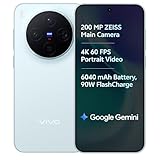
vivo X300 5G
Dimensity 9500 · ZEISS Camera · 90W Fast Charge
- ZEISS optics camera
- Dimensity 9500 chip
- 90W rapid charging
Disclosure: As an Amazon Associate, we may earn from qualifying purchases. Prices may vary.
Ready to try it? Open our Markdown Preview tool and start writing — no signup required.