PDF editors range from free browser tools to enterprise-grade platforms with OCR, e-signature, and redaction capabilities. We've tested the leading options across desktop, web, and mobile to find the best for every use case — from quick annotation to complex document workflows.
Our Top 10 Picks
Adobe Acrobat Pro
Best Professional PDF Editor
Industry standard for PDF editing, created by the inventors of PDF
Edit text and images directly in PDFs
Advanced OCR for scanned documents
E-signature, form creation, and redaction tools
Deep integration with Microsoft 365 and Google Workspace
PDFelement
Best Value Full-Feature PDF Editor
Edit, annotate, convert, sign, and protect PDFs
AI-powered document summarisation and extraction
One-click form creation and filling
OCR for scanned PDFs in 20+ languages
Windows, Mac, iOS, and Android versions available
Foxit PDF Editor
Best Lightweight Enterprise PDF Editor
Lightweight alternative to Adobe with similar power
Edit text, images, and pages with precision
Collaboration and review workflow tools
Advanced redaction and secure document handling
RMS and DRM security integration
Nitro Pro
Best for Business Productivity Workflows
Create, convert, and edit PDFs with Office-like precision
eSign workflows with audit trail
Batch conversion and processing
Cloud, SharePoint, and Google Drive integration
GDPR and SOC 2 compliance
PDF-XChange Editor
Best Free-to-Use Windows PDF Editor
Feature-rich free version (with watermark on saved edits)
Advanced annotation, markup, and comment tools
OCR text recognition built in
Very fast rendering of large documents
Windows native — highly optimised performance
UPDF
Best Modern AI-Powered PDF Editor
AI assistant for summarising, translating, and querying PDFs
Modern, clean design inspired by Notion
Edit, annotate, and convert PDFs
Cloud sync across all devices
Cross-platform: Windows, Mac, iOS, Android
PDF Expert
Best PDF Editor for Mac and iOS
Optimised for Apple ecosystem — Mac, iPhone, iPad
Smooth Apple Pencil annotation support
Edit text, links, images, and annotations
Fast and native performance on macOS
Seamless iCloud and Dropbox sync
Sejda PDF Editor
Best for Quick Online PDF Editing
Edit PDF text directly in the browser
Add text, images, shapes, and signatures
Files deleted automatically after 2 hours
Desktop app for offline editing
Privacy-focused and no signup required
Kofax Power PDF
Best for Legal and Compliance Document Editing
Enterprise-grade PDF editing and document automation
Native PDF creation without conversion loss
Advanced redaction for legal compliance
MS Office ribbon-style interface (familiar to teams)
Batch processing for document-heavy industries
Smallpdf Edit
Best Simple Browser-Based PDF Editor
Edit PDF text, add images, and annotate in browser
No installation required
25+ PDF tools in one platform
Accessible on mobile and desktop
Free tier enough for occasional edits
Which Editor is Right for You?
Mac users should consider PDF Expert for its native performance and Apple Pencil support. Windows power users will love PDF-XChange Editor's free tier or the Office-like ribbon of Kofax Power PDF. For cross-platform use with AI features, UPDF is the most modern choice. Heavy business use cases — legal, compliance, or enterprise document automation — should evaluate Adobe Acrobat Pro or Nitro Pro.
Recommended for You
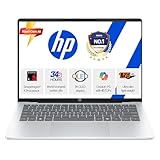
HP Next-Gen AI Laptop
Latest Gen Processor · Backlit KB · Lightweight
- AI-powered performance
- Backlit keyboard
- Ultra-lightweight build
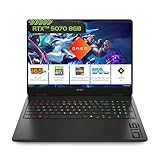
HP Gaming Laptop
RTX Graphics · High Refresh Rate · 16GB RAM
- RTX graphics card
- High refresh display
- 16GB DDR5 RAM
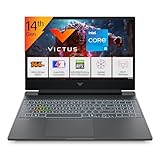
Gaming Laptop Pro
RTX 4050 · AMD Ryzen 7 · RGB Keyboard
- RTX 4050 GPU
- AMD Ryzen 7 processor
- RGB mechanical keys
Disclosure: As an Amazon Associate, we may earn from qualifying purchases. Prices may vary.
Disclaimer: This article contains affiliate links. We may earn a commission if you sign up through our links. This does not influence our editorial recommendations.