Markdown editors range from simple text fields to full knowledge management platforms. The right choice depends on your workflow — writing documentation, building a personal knowledge base, focused long-form writing, or quick notes. We've tested the leading options.
Our Top 8 Picks
Typora
Best WYSIWYG Markdown Editor
True WYSIWYG — renders Markdown inline as you type
Clean, distraction-free writing interface
Supports tables, math (LaTeX), diagrams (Mermaid), and code blocks
Export to PDF, HTML, Word, LaTeX, and more
Custom themes and CSS styling
Obsidian
Best for Knowledge Management
Local-first — all files are plain Markdown on your device
Bidirectional linking creates a knowledge graph
600+ community plugins for endless customisation
Canvas view for visual brainstorming
Works offline with optional encrypted sync
Visual Studio Code
Best for Developers
Built-in Markdown preview with side-by-side editing
Thousands of Markdown extensions (linting, TOC generation, snippets)
Integrated terminal and Git for docs-as-code workflows
IntelliSense for Markdown links and file references
Free, cross-platform, and constantly updated
Mark Text
Best Free Open-Source Editor
Real-time WYSIWYG rendering like Typora but free
Focus, typewriter, and source-code editing modes
Supports CommonMark and GitHub Flavored Markdown
Export to PDF and HTML
Cross-platform: Windows, macOS, Linux
iA Writer
Best for Focused Writing
Iconic distraction-free design with custom typography
Focus Mode dims all text except the current sentence
Content Blocks embed other Markdown files inline
Direct publishing to WordPress, Medium, Ghost, and Micropub
Style Check highlights filler words, clichés, and redundancies
Notion
Best Markdown-Compatible Workspace
Write in Markdown shortcuts that render instantly
Combines docs, databases, wikis, and projects in one tool
Real-time collaboration with comments and @mentions
AI assistant for writing, summarising, and translating
Import and export Markdown files
StackEdit
Best Browser-Based Markdown Editor
Full-featured editor running entirely in the browser
Real-time preview with scroll sync
Sync with Google Drive, Dropbox, and GitHub
Supports LaTeX math, UML diagrams, and musical scores
Offline support via service workers
DesignForge360 Markdown Preview
Best Free Instant Preview Tool
Paste or type Markdown and see rendered output instantly
100% browser-based — no data uploaded
Clean side-by-side editor and preview layout
Supports GFM: tables, strikethrough, task lists
Mobile-friendly and fast
Which Editor is Right for You?
For distraction-free writing with beautiful typography, choose iA Writer or Typora. Developers should stick with VS Code — its extension ecosystem is unmatched. Knowledge workers building a personal wiki will love Obsidian. For team collaboration, Notion combines Markdown-style editing with databases and project management.
Need to quickly preview some Markdown right now? Use our free Markdown Preview tool.
Recommended for You
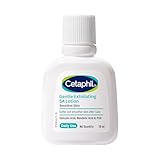
Cetaphil SA Lotion 29ml
Salicylic Acid · 48hr Hydration · Sensitive Skin
- Salicylic acid formula
- 48-hour hydration
- Sensitive skin safe

Top Rated on Amazon
Highly rated · Bestseller · Great value
- Amazon bestseller
- Highly rated by users
- Great value for money
Popular Pick
Customer favorite · High ratings · Fast delivery
- Customer favorite
- 4.3★ average rating
- Fast Prime delivery
Disclosure: As an Amazon Associate, we may earn from qualifying purchases. Prices may vary.
Disclaimer: This article contains affiliate links. We may earn a commission if you sign up through our links. This does not influence our editorial recommendations.