PDF-to-Word conversion is best when you need to edit existing content quickly. The challenge is preserving layout. Structured documents convert better than scanned images.
Before You Convert
- Check if PDF is text-based or scanned
- Identify complex elements: tables, multi-column, footnotes
- Decide whether exact layout or editable flow matters most
Steps
- Open PDF to Word.
- Upload the source PDF.
- Run conversion and download DOCX output.
- Review headings, bullets, and tables in Word.
Fixes After Conversion
- Re-apply heading styles for clean structure
- Normalize line spacing and margins
- Rebuild complex tables if needed
Summary
Use PDF-to-Word when speed matters. For complex print layouts, expect minor cleanup. For scanned PDFs, OCR quality determines results.
Recommended
Recommended for You
Fan Favorite
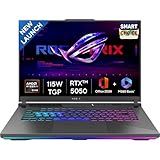
Popular Pick
Customer favorite · High ratings · Fast delivery
4.3
- Customer favorite
- 4.3★ average rating
- Fast Prime delivery
Best Value Phone

OnePlus 15R 5G
Snapdragon 8 Gen 5 · 7400mAh · 165Hz Display
4.5
- Snapdragon 8 Gen 5 chipset
- 165Hz AMOLED display
- 7400mAh all-day battery
Selling Fast
View Today's DealCamera Champion
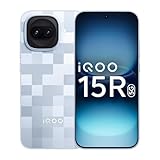
iQOO 15R 5G
5000nits Display · Top-Tier Camera · Fast Charging
4.4
- 5000nits peak brightness
- Flagship camera system
- 100W fast charging
Limited Stock
See Current OfferDisclosure: As an Amazon Associate, we may earn from qualifying purchases. Prices may vary.