Whether you're preparing social media assets, optimising images for your website, or processing product photos in bulk, the right image resizer can save hours every week. We tested the top tools for speed, output quality, batch support, and ease of use — here are our top 10 picks.
Our Top 10 Picks
Adobe Express
Best for Designers in the Adobe Ecosystem
Resize images with preset social media dimensions
Integration with Adobe Photoshop and Illustrator
Drag-and-drop canvas editor with templates
AI background removal included
Cloud storage and brand kit features
Canva
Best for Non-Designers Needing Quick Resizes
Magic Resize resizes your design instantly to multiple formats
100+ preset dimensions for social, print, and ads
Drag-and-drop interface with thousands of templates
Background remover and photo editor included
Real-time collaboration for teams

Squoosh
Best Free Browser-Based Image Optimizer
Resize and compress with real-time preview
Supports WebP, AVIF, JPEG, PNG, and more
Side-by-side quality comparison slider
Runs entirely in your browser — no upload to servers
Open source and built by Google Chrome team

ILoveIMG
Best for Batch Image Resizing
Batch resize hundreds of images at once
Resize by dimensions, percentage, or file size
JPEG, PNG, GIF, WebP support
No watermarks on free tier
API available for developers

ResizePixel
Best for Simple One-Click Resizing
Resize, crop, and convert with a simple UI
Supports JPEG, PNG, GIF, BMP, TIFF, WebP
No software installation required
Image conversion included for free
Privacy-focused: files deleted after one hour

Fotor
Best for Creative Photo Editing and Resizing
Intuitive drag-and-drop image resizer
Photo enhancer and AI tools alongside resize
Social media preset dimensions built in
Supports JPEG, PNG, and HEIC
Desktop app available for Windows and Mac

BulkResizePhotos
Best for High-Volume Batch Processing
Resize up to hundreds of images simultaneously in browser
Set max width, height, percentage, or file size
Client-side processing — images never leave your device
No registration or upload required
Lightning fast for large batches

Kraken.io
Best for Web Performance Optimisation
Lossless and lossy compression with resize
API for automated image processing pipelines
WordPress plugin available
Intelligent compression preserving image quality
Bulk processing for web teams and developers

PicResize
Best for Fast No-Frills Online Resizing
Resize from device, URL, or Dropbox
Crop, rotate, and add effects alongside resize
Supports JPEG, PNG, GIF, BMP, TIFF
No signup required
Clean and minimal interface

BIRME
Best for Custom Aspect Ratio Resizing
Bulk image resizing with aspect ratio lock
Auto-crop feature for precise square thumbnails
Drag and drop multiple images at once
Custom output dimensions and format
Runs in-browser — no server upload needed
What to Look For
For casual use, a free browser-based tool like Squoosh or ILoveIMG is more than enough. For creative work, Adobe Express or Canva give you an integrated design workflow. If you're a developer or managing hundreds of images regularly, look for a tool with an API or batch processing — Kraken.io and BulkResizePhotos both deliver here.
Recommended for You
 Beauty
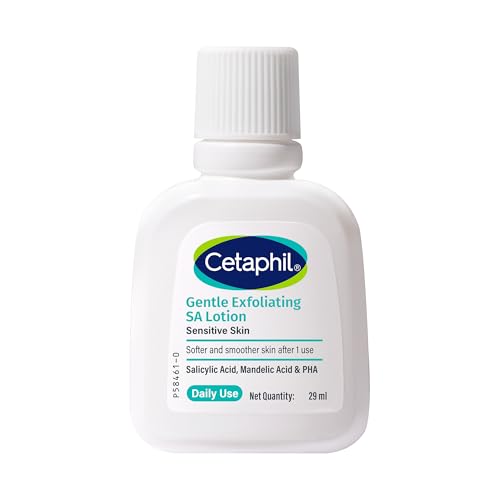
Cetaphil SA Lotion 29ml
Salicylic Acid · 48hr Hydration · Sensitive Skin
- Salicylic acid formula
- 48-hour hydration
- Sensitive skin safe
 Trending
Top Rated on Amazon
Highly rated · Bestseller · Great value
- Amazon bestseller
- Highly rated by users
- Great value for money
 Trending
Popular Pick
Customer favorite · High ratings · Fast delivery
- Customer favorite
- 4.3★ average rating
- Fast Prime delivery
Disclosure: As an Amazon Associate, we may earn from qualifying purchases. Prices may vary.
Disclaimer: This article contains affiliate links. We may earn a commission if you sign up through our links. This does not influence our editorial recommendations.