An SEO analyzer scans your website and reports on technical issues, content gaps, and optimization opportunities that affect your search engine rankings. Whether you're using our free SEO Audit & Analyzer or an enterprise tool, the process follows the same fundamental steps.
Step 1: Enter Your URL
Start by entering the full URL of the page you want to audit. Use the live, publicly accessible URL — not a staging or localhost version. Most analyzers fetch the page exactly as a search engine crawler would, which means they need access to the public version.
Tip: Audit your homepage first to get an overall picture, then audit individual landing pages, blog posts, and product pages that drive the most traffic.
Step 2: Understand the Score Categories
Most SEO analyzers break their results into categories. Here's what each typically covers:
- Technical SEO: Meta tags, canonical URLs, robots directives, HTTPS, language declarations, viewport settings, and favicon.
- On-Page SEO: Heading hierarchy (H1–H6), keyword placement, URL structure, and internal linking.
- Content Quality: Word count, image alt text, broken links, and content readability.
- Structured Data: JSON-LD schema markup for rich results in search.
- Performance: Page load time, resource count, DOM size, and image optimization.
- Growth Signals: Open Graph tags, Twitter Cards, sitemap presence, and robots.txt configuration.
Step 3: Focus on Critical Issues First
Not all SEO issues are equally important. Prioritize fixes in this order:
- Missing or duplicate title tags — These directly affect your search snippet and click-through rate.
- Missing meta description — While not a direct ranking factor, a good description increases CTR from search results.
- Broken canonical tags — These can cause duplicate content issues that dilute your ranking power.
- Missing H1 heading — Search engines use the H1 as a primary content signal.
- Missing alt text on images — Important for accessibility and image search rankings.
- No structured data — Adding schema markup can unlock rich results (stars, FAQ, breadcrumbs).
Step 4: Implement Fixes
Title Tag Best Practices
Keep titles between 50–60 characters. Include your primary keyword near the beginning. Make each page title unique. Avoid keyword stuffing — write for humans first.
Meta Description Best Practices
Write 150–160 characters that accurately summarize the page content. Include a call-to-action when appropriate. Each page should have a unique description.
Heading Structure
Use a single H1 per page. Structure subheadings logically as H2 → H3 → H4, never skipping levels. Headings should outline the content — if someone read only your headings, they should understand the page's structure.
Image Optimization
Add descriptive alt text to every meaningful image. Compress images to reduce page load time. Use modern formats like WebP where possible. Lazy-load images below the fold.
Structured Data
Add JSON-LD schema markup to your pages. Common types include Organization, WebSite, Article, Product, FAQ, HowTo, and BreadcrumbList. Test your markup with Google's Rich Results Test before deploying.
Step 5: Re-Run the Audit
After implementing fixes, run the audit again to verify that the issues are resolved and your score has improved. SEO is iterative — your goal is continuous improvement, not perfection on the first pass.
How Often Should You Audit?
Run a full audit at least once per quarter. Additionally, audit pages after major content updates, site redesigns, or CMS migrations. Set up automated crawling with tools like Semrush or Ahrefs if you manage a large site.
Common Mistakes to Avoid
- Chasing a perfect score: A 100/100 audit score doesn't guarantee rankings. Focus on fixing issues that genuinely impact user experience and crawlability.
- Ignoring mobile: Google uses mobile-first indexing. Always check how your site performs on mobile devices.
- Fixing only technical issues: Technical SEO is the foundation, but content quality and backlinks are what drive rankings. Don't neglect content strategy.
- Not re-auditing after changes: Every site update can introduce new issues. Always verify your fixes.
Ready to audit your site? Try our free SEO Audit & Analyzer — no sign-up required, instant results, and a downloadable PDF report.
Recommended for You

iQOO 15R 5G
5000nits Display · Top-Tier Camera · Fast Charging
- 5000nits peak brightness
- Flagship camera system
- 100W fast charging
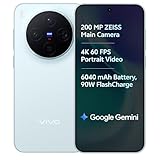
vivo X300 5G
Dimensity 9500 · ZEISS Camera · 90W Fast Charge
- ZEISS optics camera
- Dimensity 9500 chip
- 90W rapid charging

HP Next-Gen AI Laptop
Latest Gen Processor · Backlit KB · Lightweight
- AI-powered performance
- Backlit keyboard
- Ultra-lightweight build
Disclosure: As an Amazon Associate, we may earn from qualifying purchases. Prices may vary.