QR codes bridge the physical and digital worlds. A quick scan connects a printed poster to a website, a restaurant menu to an ordering system, or a business card to a LinkedIn profile. Here's how to use them effectively.
What QR Codes Can Link To
- URLs: Websites, landing pages, app download links
- Contact info: vCards that auto-populate in the phone's contacts
- Wi-Fi credentials: Let guests connect without typing passwords
- Plain text: Messages, serial numbers, or reference codes
- Email/SMS: Pre-filled messages ready to send
- Calendar events: One-tap event adds for conferences or meetings
Creating a QR Code
Use our QR Code Generator to create codes instantly. Enter your content (URL, text, or Wi-Fi credentials), customise the style, and download as PNG or SVG.
Design Best Practices
- Size matters: Minimum 2 cm × 2 cm for close-range scanning. For posters or billboards, scale proportionally to distance
- Contrast is critical: Dark modules on a light background. Avoid light-on-light or low-contrast palettes
- Don't invert colours: Dark foreground, light background. Inverted QR codes fail on many phone cameras
- Leave a quiet zone: At least 4 modules of white space around the code for reliable scanning
- Add a call to action: "Scan to order", "Scan for details" — people need to know what they'll get
Static vs Dynamic QR Codes
Static QR codes embed data directly — simple but cannot be changed after printing. Dynamic QR codes redirect through a short URL that you can update later without reprinting. Use dynamic codes for marketing campaigns and printed materials where the destination may change.
Use Cases
- Restaurants: Link to digital menus — update dishes and prices in real time
- Events: Contactless check-in, session schedules, or feedback forms
- Business cards: Store full contact details including social profiles
- Product packaging: Link to instructions, warranty registration, or reorder pages
- Real estate: Point to virtual tours or listing details from yard signs
Common Mistakes
- Linking to non-mobile-friendly pages — always test on a phone first
- Printing too small or on highly textured surfaces
- Not testing the code before printing at scale
- Using QR codes when a simple URL would be easier (e.g., on a website)
Recommended for You
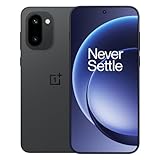
OnePlus 15R 5G
Snapdragon 8 Gen 5 · 7400mAh · 165Hz Display
- Snapdragon 8 Gen 5 chipset
- 165Hz AMOLED display
- 7400mAh all-day battery
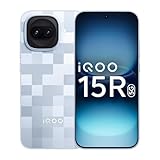
iQOO 15R 5G
5000nits Display · Top-Tier Camera · Fast Charging
- 5000nits peak brightness
- Flagship camera system
- 100W fast charging
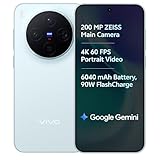
vivo X300 5G
Dimensity 9500 · ZEISS Camera · 90W Fast Charge
- ZEISS optics camera
- Dimensity 9500 chip
- 90W rapid charging
Disclosure: As an Amazon Associate, we may earn from qualifying purchases. Prices may vary.
Create your QR code in seconds with our free QR Code Generator.