Editing PDFs used to require heavy desktop software. Today, browser tools can handle most real-world needs: text annotations, e-signatures, page order changes, and quick fixes before sharing. The key is knowing what PDF editing can and cannot do.
What You Can Edit Reliably
- Highlight, underline, and comment annotations
- Draw or upload signatures
- Insert text boxes and shapes
- Reorder, rotate, or remove pages
Common Workflow
- Open PDF Editor and load your file.
- Apply annotations first (highlights/comments).
- Add text boxes for corrections.
- Sign the document if needed.
- Preview each page, then export.
Quality Checklist Before Export
- Zoom to 125% and inspect alignment
- Verify all pages are in correct order
- Check that signature placement is exact
- Ensure final file size is suitable for email/upload
Summary
Browser PDF editing is ideal for fast updates and document review. For deep content rewrites, convert to editable formats first, then return to PDF for final delivery.
Recommended
Recommended for You
Power User Choice
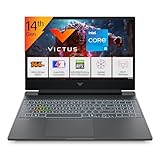
Gaming Laptop Pro
RTX 4050 · AMD Ryzen 7 · RGB Keyboard
4.1
- RTX 4050 GPU
- AMD Ryzen 7 processor
- RGB mechanical keys
Best Budget TV
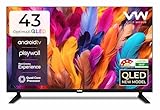
VW 43" Smart QLED TV
Full HD · Android TV · QLED Display
4.2
- QLED vivid colors
- Android TV built-in
- 43" Full HD panel
Limited Time Deal
View Today's DealHome Essential

Presto! Garbage Bags (180 Count)
Medium · 30 Bags × 6 Rolls · 19×21"
4.4
- 180 bags value pack
- Medium 19×21" size
- Leak-proof design
Disclosure: As an Amazon Associate, we may earn from qualifying purchases. Prices may vary.