Weak passwords remain the number one cause of account breaches. A strong password doesn't have to be hard to remember — it just needs to be long, unique, and unpredictable. This guide covers the science behind password strength, practical methods for creating memorable yet secure passwords, and everything you need to know about password managers and two-factor authentication.
What Makes a Password Strong?
- Length: At least 16 characters. Every character you add exponentially increases cracking time
- Uniqueness: Never reuse passwords across accounts. One breach can cascade to every account
- Randomness: Avoid dictionary words, names, dates, or keyboard patterns like "qwerty123"
- Character variety: Mix uppercase, lowercase, numbers, and symbols
To put this in perspective: a random 8-character password using all character types can be cracked in about 8 hours with modern hardware. At 12 characters, it takes roughly 34,000 years. At 16 characters, it becomes effectively uncrackable with current technology — over 1 trillion years.
How Passwords Get Compromised
Understanding attack methods helps you build better defences:
- Credential stuffing: Attackers take leaked username/password pairs from one breach and try them on other services. This is why reusing passwords is so dangerous — one breach compromises every account
- Brute force: Trying every possible combination systematically. Length is the primary defence — each additional character multiplies the combinations by 62–95×
- Dictionary attacks: Trying common words, names, and known patterns before brute force. "Sunshine2024!" is in every dictionary attack list
- Phishing: Tricking you into entering your password on a fake login page. No password strength protects against this — only vigilance and 2FA help
- Keyloggers and malware: Software that records your keystrokes. Keeping your OS and browser updated, plus using a password manager's autofill (which bypasses keyloggers), provides protection
Method 1: Random Generation (Best Security)
Use our Password Generator to create truly random passwords of any length. Random generators produce passwords that are effectively uncrackable with current technology when they're 16+ characters.
The key advantage of random generation is that it eliminates human bias. People are terrible at being random — we tend toward patterns, meaningful dates, and keyboard sequences even when trying to be creative. A random generator has no such bias.
Method 2: Passphrases (Best Memorability)
String together 4–6 random, unrelated words: correct-horse-battery-staple. This approach creates passwords that are both long and easy to remember. Add numbers or symbols between words for extra strength.
The key to effective passphrases is that the words must be truly random — not a phrase from a song, movie quote, or something personally meaningful to you. Use a random word generator or open a dictionary to random pages. A 4-word passphrase from a 7,776-word list (like Diceware) provides about 51 bits of entropy — comparable to a random 10-character mixed-case password.
For critical accounts, use 5–6 words: glider-marble-sunset-twelve-cactus-orbit. This provides 77+ bits of entropy — sufficient for virtually any security requirement.
Method 3: Sentence-Based Passwords
Take a memorable sentence and use the first letter of each word with substitutions: "My daughter was born in June 2015!" becomes Mdwb!J2015. Still not as strong as random generation, but far better than common words.
To strengthen this method, use a longer sentence (10+ words), include numbers naturally, and avoid well-known quotes or lyrics. "I bought 3 red bicycles at the market on Saturday!" becomes Ib3rbatmoS! — 11 characters with good variety.
Comparison: Password Methods
| Method | Strength | Memorability | Best For |
|---|---|---|---|
| Random generation | Excellent | Poor (use a manager) | All accounts (with a password manager) |
| Passphrase (4–6 words) | Very good | Good | Master passwords, device logins |
| Sentence-based | Good | Very good | Accounts you must type manually |
| Dictionary word + numbers | Weak | Easy | Never use this |
Why You Need a Password Manager
The human brain can't remember dozens of unique 16-character random passwords. A password manager stores and auto-fills all your passwords behind one strong master password. This is the single most important security upgrade most people can make.
Leading options include:
- Bitwarden: Free and open-source. Excellent cross-platform support. The best option for most people
- 1Password: Polished interface, excellent family/team sharing. $2.99/month
- Dashlane: Built-in VPN and dark web monitoring. Premium features at a higher price point
- Apple Keychain / Google Password Manager: Built into iOS/macOS and Chrome respectively. Convenient but less portable across platforms
For a detailed comparison, see our Best Password Managers of 2026 guide.
Enable Two-Factor Authentication (2FA)
Even the strongest password can be stolen through phishing or data breaches. 2FA adds a second verification step — typically a time-based code from an authenticator app. Enable it on every account that supports it, especially email, banking, and cloud storage.
Types of 2FA (from strongest to weakest)
- Hardware security keys (FIDO2/WebAuthn): Physical USB/NFC keys like YubiKey. Phishing-proof because they verify the domain. Gold standard for security
- Authenticator apps (TOTP): Google Authenticator, Authy, or the built-in 2FA in Bitwarden/1Password. Generate time-based codes that change every 30 seconds. Excellent protection
- Push notifications: Approve logins via a mobile app notification. Convenient but vulnerable to "prompt bombing" (attackers spam approval requests hoping you'll accidentally approve)
- SMS codes: Better than nothing, but vulnerable to SIM swapping attacks. Use an authenticator app instead whenever possible
What to Do After a Data Breach
If a service you use announces a data breach:
- Change your password on that service immediately
- If you reused that password anywhere else (you shouldn't!), change it on every other account too
- Enable 2FA if you haven't already
- Check Have I Been Pwned to see if your email appears in known breaches
- Monitor your accounts for suspicious activity for the following weeks
Common Mistakes to Avoid
- Using personal information (birthdays, pet names, addresses)
- Adding "!" or "1" to the end of a weak password and calling it strong
- Writing passwords on sticky notes or in unencrypted files
- Using the same password for "low-importance" accounts — attackers target these first
- Sharing passwords via email or messaging apps
- Using security questions with real answers (your mother's maiden name is publicly findable). Instead, use random answers stored in your password manager
- Changing passwords too frequently without a reason — this leads to weaker passwords as people resort to predictable patterns like "Password1", "Password2"
Password Security for Organizations
If you manage security for a team or company:
- Deploy a team password manager (Bitwarden Teams, 1Password Business) with shared vaults for team credentials
- Enforce 2FA on all company accounts, especially email and code repositories
- Implement SSO (Single Sign-On) where possible to reduce the number of passwords employees manage
- Conduct regular security awareness training focused on phishing recognition
- Use conditional access policies that require additional verification for logins from new devices or locations
Recommended for You
Top Rated on Amazon
Highly rated · Bestseller · Great value
- Amazon bestseller
- Highly rated by users
- Great value for money
Popular Pick
Customer favorite · High ratings · Fast delivery
- Customer favorite
- 4.3★ average rating
- Fast Prime delivery
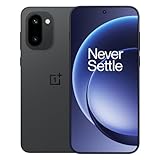
OnePlus 15R 5G
Snapdragon 8 Gen 5 · 7400mAh · 165Hz Display
- Snapdragon 8 Gen 5 chipset
- 165Hz AMOLED display
- 7400mAh all-day battery
Disclosure: As an Amazon Associate, we may earn from qualifying purchases. Prices may vary.
Generate a strong password now with our free Password Generator — no signup required.